BE1stfor dental practices

Step 2, in full · The exam

How the check is scored.

Every check the report runs, what it looks for, the words it quotes back from your pages, and why each one matters to a patient. This is how the score is built. Run it on your own site when you want the report itself.

S1 · Teeth 1 to 5

Can a patient reach you?

30 points

Whether a patient on a phone can call you, ask for a visit, and find when and where you are open.

  1. 01Tap-to-call phone numberA number you can tap8Comes back as Good, Missing

    01 · S1 Can a patient reach you?

    Tap-to-call phone number

    8 pointsA number that has to be copied by hand: 0

    What it looks for
    A phone number on the homepage that starts a call when tapped.
    What the report quotes
    • Good How many tap-to-call links it found.
    • Missing No tap-to-call link. The number has to be copied by hand.
    Why it matters
    A patient reading on a phone should be one tap from calling.
  2. 02Call button on the first screenNumber before scrolling6Comes back as Good, Needs work, Missing

    02 · S1 Can a patient reach you?

    Call button on the first screen

    6 pointsOnly further down the page: 2. No tappable number: 0

    What it looks for
    A tappable number a patient sees before scrolling.
    What the report quotes
    • Good Visible without scrolling
    • Needs work Only further down the page
    • Missing None
    Why it matters
    A tappable number on the first screen means no scrolling to call.
  3. 03A way to request an appointmentForm or booking link8Comes back as Good, Needs work, Missing

    03 · S1 Can a patient reach you?

    A way to request an appointment

    8 pointsA form only on an inner page: 6. Call only: 0

    What it looks for
    A request form, a booking widget or a booking link on the homepage.
    What the report quotes
    • Good How many request forms the homepage has, a booking widget, or the words of the booking link.
    • Needs work The inner page the form is on, with no booking button on the homepage.
    • Missing No form or booking link found. Call only.
    Why it matters
    After hours, a request form lets a patient ask for a visit without calling.
  4. 04Office hoursDays and times4Comes back as Good, Needs work, Missing

    04 · S1 Can a patient reach you?

    Office hours

    4 pointsTimes without days: 3. Only on an inner page: 2

    What it looks for
    Days and times on the homepage.
    What the report quotes
    • Good The hours it found, quoted.
    • Needs work Times it found without days, or the inner page the hours are on.
    • Missing No hours found on the homepage or the pages read
    Why it matters
    Hours on the homepage tell a patient whether you are open before they call.
  5. 05Street addressAn address on the page4Comes back as Good, Needs work, Missing

    05 · S1 Can a patient reach you?

    Street address

    4 pointsOnly on an inner page: 2

    What it looks for
    A street address on the homepage, in its text or in the page’s structured data.
    What the report quotes
    • Good The address it found, quoted, or that it is in the structured data.
    • Needs work The inner page the address is on.
    • Missing No street address found
    Why it matters
    An address on the page is how patients and Google confirm you are nearby.

S2 · Teeth 6 to 11

Insurance and cost

20 points

Whether a new patient can tell from your site if you take their plan, and what a visit costs without one.

  1. 06Insurance mentioned on the homepageThe word insurance8Comes back as Good, Needs work, Missing

    06 · S2 Insurance and cost

    Insurance mentioned on the homepage

    8 pointsOnly on an inner page: 4

    What it looks for
    The word insurance, PPO, in-network, dental plans or benefits, or seguro dental.
    What the report quotes
    • Good The sentence that mentions insurance, quoted.
    • Needs work That it is not on the homepage, and the inner page it was found on.
    • Missing The word "insurance" does not appear on the homepage or the 8 other pages read
    Why it matters
    A new patient checking whether you take their plan should find the answer on the homepage.
  2. 07Specific plans namedPlan names6Comes back as Good, Needs work, Missing

    07 · S2 Insurance and cost

    Specific plans named

    6 pointsOnly on an inner page: 4

    What it looks for
    Insurance plans named the way a patient searches for them.
    What the report quotes
    • Good The plan names it found.
    • Needs work The plan names it found, marked inner page only.
    • Missing No plan names found
    Why it matters
    A plan named on the page answers the question a patient searches for.
  3. 08Cost or payment optionsPayment and self-pay6Comes back as Good, Needs work, Missing

    08 · S2 Insurance and cost

    Cost or payment options

    6 pointsOnly on an inner page: 3

    What it looks for
    Financing, payment plans, a membership or savings plan, self-pay, or a price.
    What the report quotes
    • Good The sentence about payment, quoted.
    • Needs work The inner page it is on.
    • Missing Nothing about payment, financing or self-pay
    Why it matters
    A patient without insurance can see whether a visit is within reach before booking one.
  4. 09Medicaid or CHIP mentionedMedicaid or CHIPNoteComes back as Good, Needs work, Note

    09 · S2 Insurance and cost

    Medicaid or CHIP mentioned

    Note no pointsNever points. It only matters if the practice takes them.

    What it looks for
    Whether Medicaid or CHIP is named, and where.
    What the report quotes
    • Good The sentence that names them, quoted.
    • Needs work The inner page it is on.
    • Note Not mentioned. Only matters if the practice takes it.
    Why it matters
    If you accept Medicaid or CHIP, say so where parents look.

S3 · Teeth 12 to 16

Spanish

10 points

Whether a family that reads Spanish finds Spanish written for them, or a translate button.

  1. 10Real Spanish on the siteWritten Spanish10Comes back as Good, Needs work, Missing

    10 · S3 Spanish

    Real Spanish on the site

    10 pointsA Spanish page the homepage does not point to in Spanish: 7. A translate widget: 3. Only a “se habla español” line: 2. None: 0

    What it looks for
    Spanish-tagged sections in the page your server sends, or Spanish text on the homepage.
    What the report quotes
    • Good How many Spanish-tagged sections the served page has, or that the homepage has Spanish text.
    • Needs work The Spanish page the homepage does not point to, a translate widget instead of written Spanish, or a “se habla español” line with no Spanish content.
    • Missing No Spanish found
    Why it matters
    Search engines never see a translate button’s Spanish, and machine translation of medical copy reads badly.

S4 · Teeth 17 to 21

Trust

15 points

Whether a first-time patient can see who the dentist is, that new patients are welcome, and what to do in an emergency.

  1. 11The dentist is namedA doctor’s name5Comes back as Good, Needs work, Missing

    11 · S4 Trust

    The dentist is named

    5 pointsOnly on an inner page: 3

    What it looks for
    A doctor’s name, or DDS or DMD, on the homepage.
    What the report quotes
    • Good The name it found, quoted.
    • Needs work The inner page the name is on.
    • Missing No dentist named
    Why it matters
    A name on the homepage tells a patient who they will see.
  2. 12New patients welcomedWords for new patients3Comes back as Good, Needs work, Missing

    12 · S4 Trust

    New patients welcomed

    3 pointsOnly on an inner page: 2

    What it looks for
    Words for new patients or a first visit, in English or Spanish.
    What the report quotes
    • Good The words it found, quoted.
    • Needs work Only on an inner page
    • Missing Nothing aimed at new patients
    Why it matters
    A first-time patient wants to know you take new patients and what the first visit is like.
  3. 13Emergency or same-day careEmergencies, same day3Comes back as Good, Needs work, Missing

    13 · S4 Trust

    Emergency or same-day care

    3 pointsOnly on an inner page: 2

    What it looks for
    Emergencies, same-day visits, walk-ins or tooth pain.
    What the report quotes
    • Good The words it found, quoted.
    • Needs work Only on an inner page
    • Missing No mention of emergencies
    Why it matters
    A patient with tooth pain wants to know who can see them today.
  4. 14Reviews shownPatient reviews4Comes back as Good, Needs work, Missing

    14 · S4 Trust

    Reviews shown

    4 pointsOnly on an inner page: 2

    What it looks for
    Patient reviews on the homepage.
    What the report quotes
    • Good The review line it found, quoted.
    • Needs work Only on an inner page
    • Missing No reviews on the homepage
    Why it matters
    Reviews on the homepage answer what other patients say without a trip to Google.

S5 · Teeth 22 to 27

Findable on Google

15 points

Whether Google gets a clear title, a description and your practice details to show in search results.

  1. 15Page titleThe blue link3Comes back as Good, Needs work, Missing

    15 · S5 Findable on Google

    Page title

    3 pointsShorter: 1. None: 0

    What it looks for
    A title of at least 10 characters.
    What the report quotes
    • Good The title, quoted.
    • Needs work The short title, quoted.
    • Missing No title
    Why it matters
    The title is the blue link people click in Google.
  2. 16Search descriptionThe line under the link2Comes back as Good, Needs work, Missing

    16 · S5 Findable on Google

    Search description

    2 pointsShorter: 1. None, so Google writes its own: 0

    What it looks for
    A description of at least 50 characters.
    What the report quotes
    • Good The description, quoted.
    • Needs work The short description, quoted.
    • Missing None. Google writes its own.
    Why it matters
    The description is the sentence under the link in search results.
  3. 17Practice details for GoogleStructured data4Comes back as Good, Missing

    17 · S5 Findable on Google

    Practice details for Google

    4 pointsAll or nothing

    What it looks for
    Structured data that marks the page as a dentist, a clinic or a local business.
    What the report quotes
    • Good The kinds of practice data it found.
    • Missing No Dentist or LocalBusiness structured data
    Why it matters
    Structured data gives Google your hours, address and phone in a form it reads directly.
  4. 18Canonical addressOne address to rank2Comes back as Good, Missing

    18 · S5 Findable on Google

    Canonical address

    2 pointsAll or nothing

    What it looks for
    A canonical tag naming the one address Google should rank for the page.
    What the report quotes
    • Good The canonical address it found.
    • Missing None set
    Why it matters
    When the same page answers at more than one address, it tells Google which one to rank.
  5. 19Loads over httpsAn https address2Comes back as Good, Missing

    19 · S5 Findable on Google

    Loads over https

    2 pointsAll or nothing

    What it looks for
    The homepage ends on an https address.
    What the report quotes
    • Good Loads over https
    • Missing That the page loads over plain http, which browsers put a warning on.
    Why it matters
    Browsers put a warning on plain http pages, in front of patients.
  6. 20SitemapA sitemap file2Comes back as Good, Missing

    20 · S5 Findable on Google

    Sitemap

    2 pointsAll or nothing

    What it looks for
    A sitemap file at one of the usual addresses.
    What the report quotes
    • Good Where the sitemap was found.
    • Missing No sitemap.xml found
    Why it matters
    A sitemap helps Google find every page, including the ones patients need.

S6 · Teeth 28 to 32

Speed and phone fit

10 points

How much a phone has to download to show your homepage, and whether the page fits the screen.

  1. 21Page weight on a phoneDownload size4Comes back as Good, Needs work, Missing

    21 · S6 Speed and phone fit

    Page weight on a phone

    4 pointsUp to 1,500 KB: 4. Up to 3,000 KB: 2. Heavier: 0

    What it looks for
    Everything downloaded to show the homepage, measured as it loads.
    What the report quotes
    • Every status The size downloaded to show the homepage, in KB or MB.
    Why it matters
    A heavy homepage takes longer to show on a cell signal.
  2. 22Requests to load the pageFiles and servers2Comes back as Good, Needs work, Missing

    22 · S6 Speed and phone fit

    Requests to load the page

    2 pointsUp to 60: 2. Up to 120: 1. More: 0

    What it looks for
    Every file the homepage asks for, and how many servers they come from.
    What the report quotes
    • Every status How many requests the page made, to how many different servers.
    Why it matters
    Every extra request is another thing that can be slow or fail.
  3. 23Fits the phone screenNo sideways scrolling2Comes back as Good, Missing

    23 · S6 Speed and phone fit

    Fits the phone screen

    2 pointsAll or nothing

    What it looks for
    No sideways scrolling on a phone.
    What the report quotes
    • Good No sideways scrolling
    • Missing The page is wider than the phone and scrolls sideways
    Why it matters
    A page that slides sideways looks broken on a phone.
  4. 24Built for mobileA mobile viewport tag2Comes back as Good, Missing

    24 · S6 Speed and phone fit

    Built for mobile

    2 pointsAll or nothing

    What it looks for
    A mobile viewport tag, so phones do not shrink a desktop page to fit.
    What the report quotes
    • Good The viewport tag, quoted.
    • Missing No mobile viewport tag
    Why it matters
    Without it, phones show a shrunken desktop page.

Outage checks · run on every check

Three problems that outrank everything else.

When the check finds one, it goes to the top of the report, above every other fix, and the score is capped.

Outage 01

A notice painted over the page.

The check compares what the phone shows with the page your server sends. A suspension notice drawn by the site’s own stylesheet, or a layer covering the first screen, never shows up in the page text.

What the report says

Patients see a suspension notice. Google does not. Uptime monitors and search engines get a normal page, so nothing automated notices.

Score capped at 40

Outage 02

A suspended or parked site.

A suspension, expired domain, for-sale, coming-soon or under-construction notice that every visitor gets, in the page itself.

What the report says

Every visitor sees the notice instead of the practice.

Score capped at 40

Outage 03

A homepage that does not load.

The homepage answers with an error, or loads with nothing on it.

What the report says

Patients who click through from Google or your practice listing get an error.

Score capped at 20

Score and grade.

The score is the points earned out of 100, and the grade follows the score. An outage holds the score down no matter what else is right.

How the 100 points add up

  1. S130
  2. S220
  3. S310
  4. S415
  5. S515
  6. S610

The sextant record

The six graded areas and their points: top row S1, S2, S3; bottom row S6, S5, S4
S1Can a patient reach you?30 S2Insurance and cost20 S3Spanish10
S6Speed and phone fit10 S5Findable on Google15 S4Trust15

Fix these first

The report opens with the three biggest point losses, and an outage always goes to the top. For the homepage charted in The visit: insurance on the homepage, 8 points lost; real Spanish, 7; plans named, 6.

Grades

  1. F
  2. D
  3. C
  4. B
  5. A
  • A90 and up
  • B80 to 89
  • C70 to 79
  • D60 to 69
  • FUnder 60
  • cap 40A suspension or parked notice, including one painted over the page, holds the score to 40 at most.
  • cap 20A homepage that does not load holds the score to 20 at most.
The four statuses
StatusPointsMeaning
GoodFullFound where a patient looks.
Needs workPartFound, but only on an inner page, or only partly there.
MissingNoneNot found, or over the limit.
NoteNoneInformation only, such as Medicaid or CHIP.

Flags, never points.

Two kinds of finding sit outside the score. They are quoted with their evidence for you to review, and they never move the grade.

Flag · no points

Wording to double-check

Words dental advertising rules restrict: credential and specialty titles, superlative claims, and promises about pain or results. Each flag quotes the sentence and names the page it came from.

No points, because the check cannot know which credentials a dentist holds. They are prompts to confirm, not legal advice.

Flag · no points

Third-party tags

Ad, analytics, session recording and call tracking tags the phone loaded, listed by name.

On a dental site these tags can send visitor data to other companies, so the report lists them for whoever manages the site.

What happens when the check runs.

What the phone loaded

  • DownloadedThe size of everything the phone pulled to show the homepage.
  • RequestsHow many files it asked for.
  • ServersHow many different servers those files came from.
  • Time to loadFrom the first request until the page settled.
  • Pages readThe homepage and each inner page, by address.

What happens when it runs

  1. EX-01

    What search engines get

    The homepage as your server sends it, before any scripts run. Search engines and uptime monitors read this version.

  2. EX-02

    What a patient’s phone shows

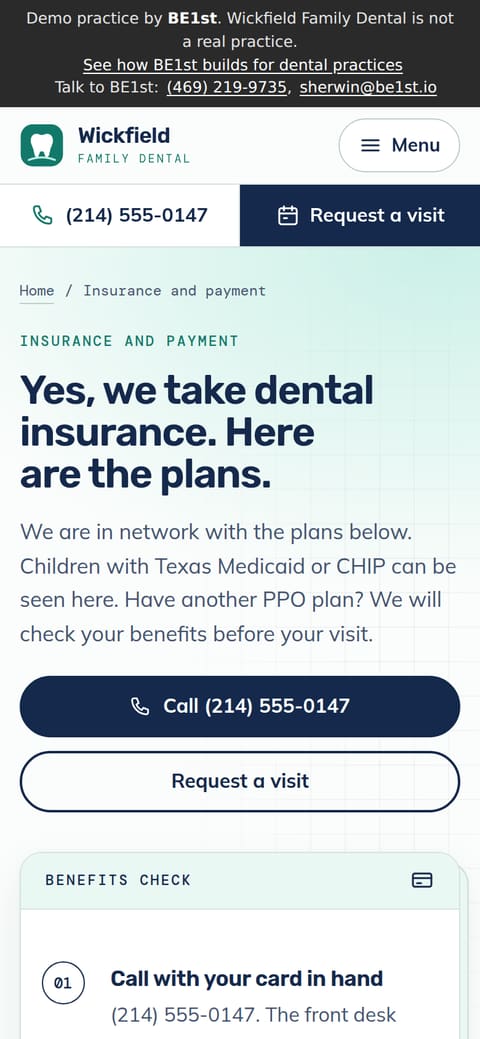
    The homepage loaded on a phone-sized screen, 390 by 844, scrolled once top to bottom so images further down load too. Every download and request is counted, and the first screen is saved as a picture.

  3. EX-03

    The pages behind the homepage

    Up to 8 pages linked from your homepage: insurance, Spanish, new patients, contact, about, emergencies, services and reviews. That is how the report tells “on your insurance page, not your homepage” apart from “nowhere on the site”.

Run the exam on your own site.

The report charts your homepage line by line, the same way.